Sentry Log and Trace Drains
What are Drains?
Forward logs and traces from cloud platforms directly into Sentry without modifying your application code.
Why Use Drains?
Drains capture platform-level telemetry from your infrastructure and backend services:
- Build and deployment logs: Track build processes, deployments, and CI/CD pipeline output
- Runtime platform logs: Serverless function execution, edge function cold starts, platform errors
- Infrastructure traces: Request flows through routing layers, CDN, and edge networks
- Backend service logs: Authentication events, database operations, storage access, API calls
Once configured, your platform automatically forwards logs and traces to Sentry, where you can view and analyze them alongside data from your Sentry SDKs.
Note: Drains do not capture error events. To capture application errors, use Sentry SDKs instead.
Two Types of Drains
Platform-Specific Drains
Built-in integrations provided by hosting platforms to forward their own logs and traces:
- Vercel - Runtime, build, and static logs + distributed traces
- Cloudflare - Worker logs and traces
- Heroku - Application logs and traces
- Supabase - Edge function, auth, storage, and API logs
- Shopify Hydrogen - Storefront traces
Setup: Configure directly in your platform’s dashboard using Sentry OTLP endpoints.
Generic Forwarders
Telemetry pipeline tools you configure to collect and forward logs from any source:
- Vector - High-performance log aggregator
- OpenTelemetry Collector - Vendor-neutral telemetry pipeline
- Fluent Bit - Lightweight log processor
Setup: Deploy the forwarder yourself, configure it to collect logs from your infrastructure, and send them to Sentry’s OTLP endpoints.
Get Your Sentry Drain Endpoints
Before configuring drains, you need your project’s drain endpoints:
-
Open your Sentry project
-
Navigate to Client Keys (DSN)
Go to Settings > Projects > [Your Project] > Client Keys (DSN)
-
Select the appropriate tab
- For most platforms: Click the OpenTelemetry (OTLP) tab
- For Vercel: Click the Vercel Drains tab (uses custom endpoints)
-
Copy the required values:
- Endpoint URL(s) for logs and/or traces
- Authentication headers (typically your public DSN key)
Example: Configuring Vercel Drains
Setting Up Log Drains
- From the Vercel dashboard, go to Team Settings > Drains and click Add Drain
- Configure the drain for projects, sources to forward and environments
- Configure the destination using your Sentry OTLP endpoints & headers
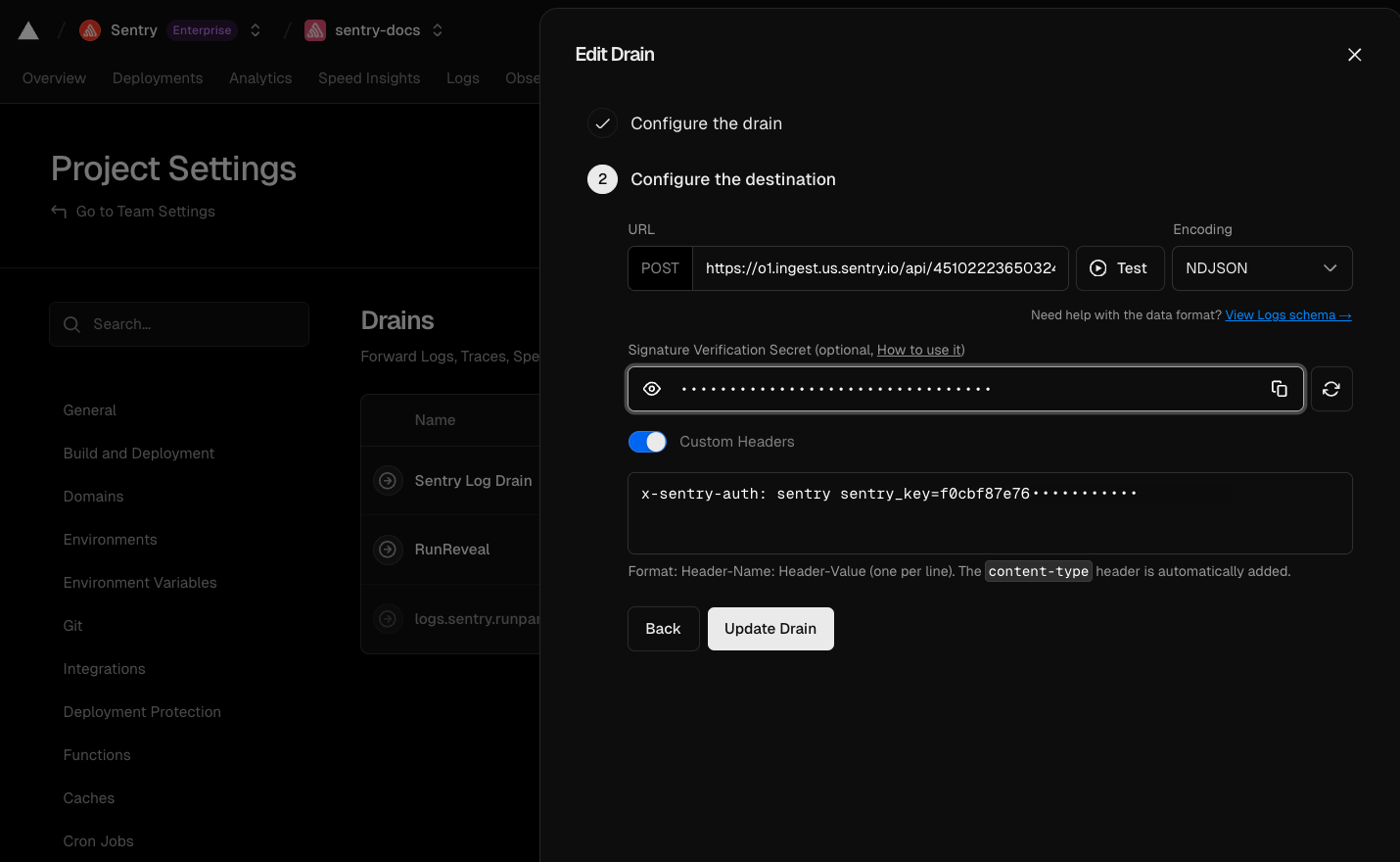
For more detailed instructions, see the Sentry Drains documentation.